

Becoming a content creator or streamer involves a lot of moving pieces and one of the most important skills you will need to develop is how to use the tools that are required for you to stream.
As a creator, the software you will need to know usually involves - at the most basic level - a streaming software that is installed on your PC (on console, though console streaming is lot more simplistic and limited), and a streaming platform via an app or their website.
For this explanation, I'm going to use OBS and Twitch as examples as they are among the most popular - however, there is a large chance you are using multiple of each, aka OBS and StreamElements, and Twitch and YouTube.
As a priority, you should learn how to use these platforms, how to navigate them, how they work and link together, how to problem solve interactions that have unexpected results, and how both work with alert platforms.
By understanding the fundamentals of the platforms you are using, you will save yourself a lot of time in the long run. If a problem crops up mid stream, knowing how to solve it quickly whilst remaining live can and will save your stream. You can keep your audience attentive whilst you spend a matter of minutes fixing an issue and go back to broadcasting, rather than having to end stream to figure it out because you don't know how to fix it.
Being able to solve an alert error, or a scene that isn't working as intended right there and then, shows an amount of care into your content, competency, professionalism, commitment to your stream and most of all - your audience won't be ejected by you having to go offline and them possibly losing interest in returning to watch you again when you are live.
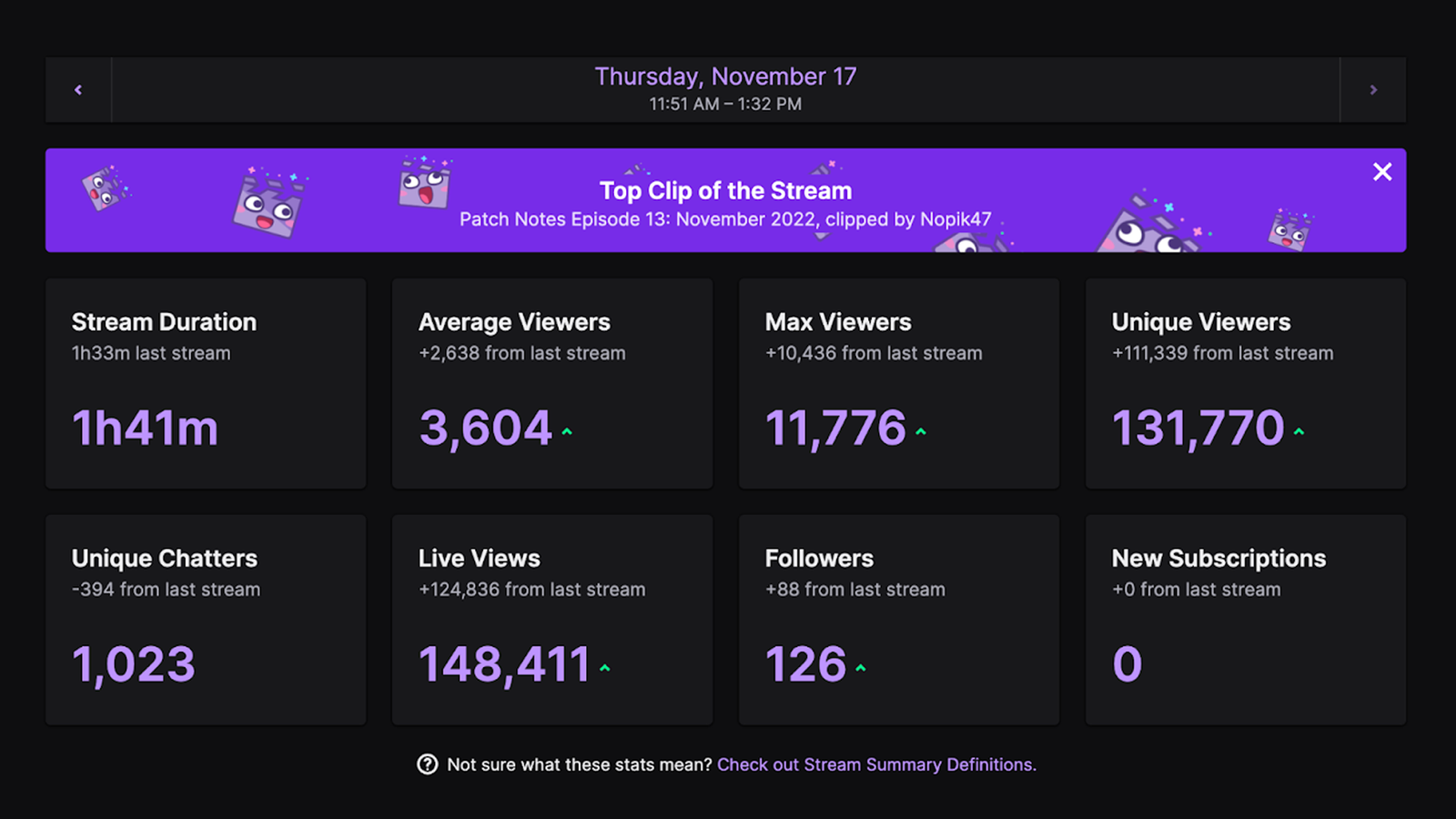
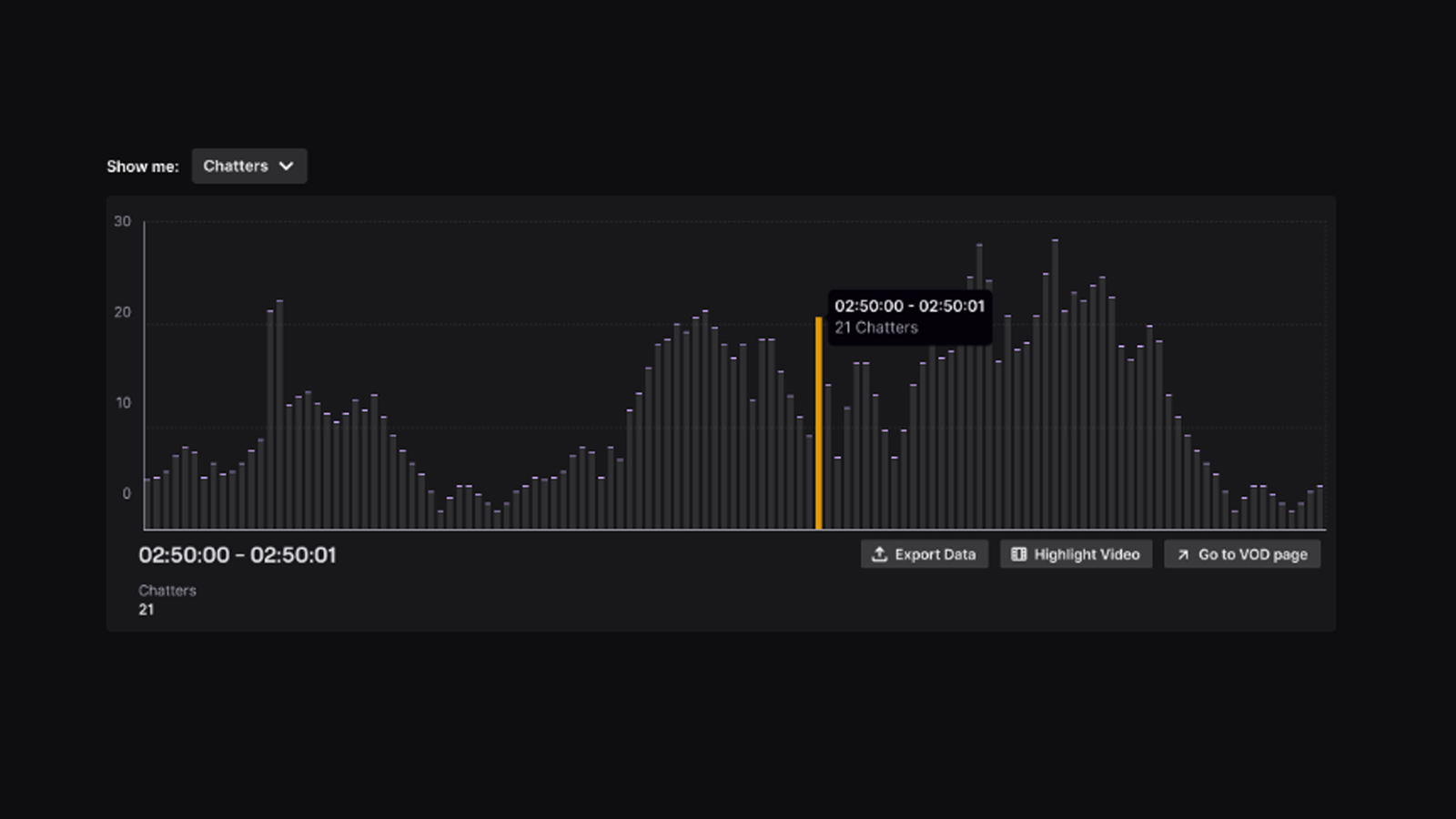
When setting up your stream and adding overlays, research guides on how each component works. Learn how to understand and utilize Twitch to its full potential - there are a wealth of tools included outside the go live button. Analytics, VODs, setting up panels, emotes and more outside of the functionality it has with your preferred streaming software.
There is a temptation when you first start your journey as a content creator to over prepare. As a new streamer, you'll continuously be searching for the edge you have over your competition - which is large; millions in fact - and you'll try to achieve that edge by trying a myriad of things. You will consider every eventuality, every single piece of equipment you need; buy the best PC, the best microphone, the best camera, and so on. All of this can add up to a rather hefty cost, when in reality, sometimes the most streamlined and basic hardware and software can be good enough for the time being.
The very first thing you want to take a serious look at is your budget. This new venture of yours (or even if you have been going for a while) will be an investment - of time, energy, money... sanity at some points. One thing you don't want to do is over-commit to a large amount of expensive purchases without the proper research alongside what you can actually afford. Don't go into streaming and shell out a load of money on items thinking you'll earn it back in tenfold within a certain time frame. That is unlikely. Wishful, hopeful, positive thinking - but a risk.
You don't need 2 PCs, or a $2,000 microphone, or the best stream deck on offer when you are a smaller channel trying to build up your viewer base and community.
What you want to do is: make investments whilst you grow. And that is grow in terms of numbers and your skills. You want to understand what you are buying and how to use it with your setup. Research new items carefully, figure out how they mesh into what you already have, see how your hardware will get the most out of them, and most importantly - do you really need it? Is it within your budget? You don't need to copy your favorite streamer's build down to the last circuit board. It is likely they have been streaming for years and did create their setup over a long period of time.
Audio seems to be the crux with many streaming setups as the setup and getting things to work correctly can sometimes be complicated. A lot of issues can be niche to your particular setup - for example if you have PC A and Setup B, with Audio C and use Software D, and Hardware E, you'd need that specific sequence to be able to troubleshoot many things that come up via internet search.
The easiest way to avoid this is to find out what works with your setup before you purchase audio and how it will interact with your existing. Audio is something you should learn over time and invest into with particular mindfulness. You should know how to setup your microphone and sound systems, how to manage their included software, if they are compatible, what the common issues are before deciding on which audio is right for you.
There are a considerable amount of choices for audio setup out there, some won't break the bank and others will cost you thousands. You don't need to jump straight into blowing your budget out of the water when you first start streaming. In many instances the budget investment will be enough to start you off and then you can decide to replace at a later date if you find you have the funds or need to.
This will stretch into two parts.
Part One: Your stream production.
You will want to employ stream overlays in your channel for a number of reasons. Stream overlays are an engagement tool - every part of a stream package is there to encourage people to join your channel and keep watching. If you want to increase channel engagement and viewer interactivity, overlays are one of the most important elements you need to employ to do this. They are built to visually stimulate your viewers, to attract viewers, to make viewers want to support, donate, interact with your stream. Overlays show a level of professionalism and commitment to your stream, that you have invested into the look and style of your content. And they create a stream experience for your viewers, by adding a theme, sound effects, alerts, popups and more that fit your content.
With stream overlays, you don't need to spend a fortune on custom ones that are tailor made for your stream at the start - unless that is in your budget. There are plenty of affordable overlay packs available to include in your stream to amp up your production value, creating a thematic stream viewing experience that attracts numbers and keeps people watching.
To choose the right overlays for your stream you will want to consider your budget, your content, and what you want to present your stream as in terms of your personality and the community you are fostering.
To the second part!
Part Two: Setting Up Your Stream Production Correctly
Ok, so you've chosen your overlays. Fantastic. Now we come to the part that people seem to get a little fuzzy on. I'm ready to get overlays. I've added everything on the list of possible things I could need.
Whilst this is fine to do, what you need to keep in mind is the harmonious possibilities of how these elements work together, otherwise you are going to end up overwhelming your viewers with popups and items and events and alerts and colours and styles. Your overlays need to work for you and your stream in a way that looks good and communicates a clear message. They need to fit your channel and the content you are displaying, and be visually pleasing.
You want to create a clean and well organized channel. Choose elements thoughtfully. Decide on their triggers to make sure that alerts aren't popping up a hundred times a minute. Signify events that you want to draw attention to such as donations, follows, subs - items that fit your specific goals to encourage viewers visually to support them. Pick scenes that enhance your content. And test everything to see how it goes together.
To round out this technical heavy article, we've added in an extra point that all streamers and creators should consider whether you are brand new or a long time veteran.
Enjoy your content.
If you don't enjoy your content - your viewers can usually tell.
For new streamers, it is very unlikely that content creation will be your job. It is probably your hobby that you like to share with others. It's supposed to be fun! You're meant to be having a great time!
What you don't need to do, unless you think you have the mental bandwidth for it, is post on every single platform, stream on multiple platforms, be forcing yourself to record and edit content for longform and shortform every single day.
You need to start at the beginning before you can dive into editing. Your first port of call should be figuring out how to be on camera. How to keep viewers engaged in chat, and how to reply to them and keep the conversation going even when no one is watching. Making sure that you are noticing any interactions that viewers do such as newly arriving, following, subscribing, and more.
Start slowly, get those handled first and then start to branch out.
This mobile streaming guide should help you out with getting started! Getting the right sizes is step one, and then grabbing a high-quality and purpose built stream pack for mobile streaming and other platforms is the right way to go. You can upgrade with GETREKT's overlays. We have tons of options for desktop and mobile streaming in our Stream Overlay Packages on the Elements store.
Want more information about sizes for desktop streaming on Twitch, YouTube and Kick? Head over to our guide - Twitch Panel, Banner and Screen Size Guide
You can find more streaming tips and guides on our Blogs & Guides pages.
Make sure to join the Elements Community Discord for exclusive news, releases, support and more.
Enjoy your weekend gamers,
Em
Want exclusive free overlay assets, discounts, as well as tips and resources for content, set-up and more?
Our email subscribers receive all of this and more.
See more latest news, events, and tips and tricks for your stream!View All


You must have an account and be signed in to access your wishlist
Don't worry you can continue shopping without creating an account, but you won't be able to save items to your wishlist